
Eurospin Play Android APK for India
The Android APK is hosted on the Eurospin Play website because Google Play does not permit real-money casino apps in India. Indian members visit the site from a mobile browser such as Chrome, tap the download button in the app section, and receive a signed .apk file that installs after allowing installs from unknown sources in the Android security settings. The installer is under 30 MB and completes in under a minute on a typical 4G or Wi-Fi connection. The APK download route is the standard method used by offshore casino operators serving India.

Eurospin Play iOS Home-Screen Setup
The Apple App Store also does not host real-money casino apps for Indian users, so Eurospin Play delivers iOS access through a progressive web app. Indian members open Safari on the iPhone or iPad, navigate to the Eurospin Play site, tap the Safari share icon and select Add to Home Screen. The site then opens in a full-screen browser session that hides the address bar and behaves like a native app.
Eurospin Play iOS Setup Steps for India
- Step 1 — Open Safari (not Chrome or another browser) on the iPhone or iPad
- Step 2 — Navigate to the Eurospin Play India site and wait for it to fully load
- Step 3 — Tap the Safari share icon at the bottom of the screen
- Step 4 — Scroll and select Add to Home Screen from the share sheet
- Step 5 — Adjust the icon name if desired and tap Add to confirm
Eurospin Play India App Features Overview
Both mobile access routes deliver the complete Eurospin Play India experience with the following core features available on either platform.
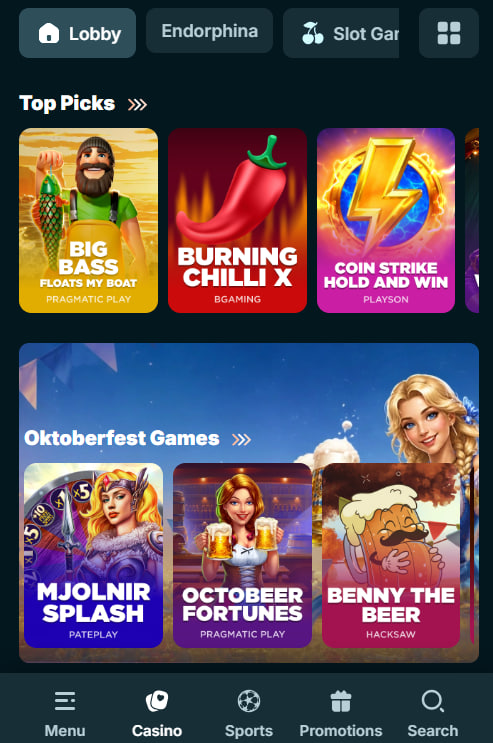
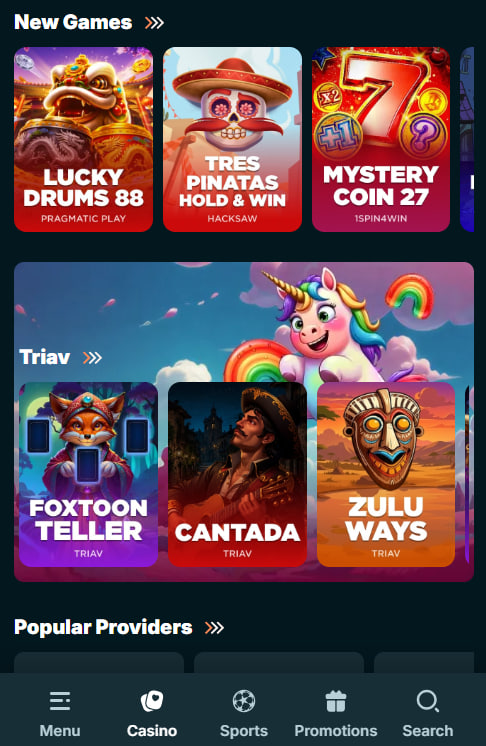
- Full games lobby — over 8,500 slots and live dealer tables with the same filter and search controls as desktop
- Indian card games — Teen Patti, Andar Bahar, Bet on Teen Patti with Hindi-speaking dealers during evening hours
- UPI cashier — deposits via BHIM, PhonePe, GPay, Paytm UPI plus IMPS, AstroPay and USDT-TRC20
- Tournaments and VIP — weekly tournament leaderboards, five-tier VIP dashboard, daily missions tracker
Eurospin Play India App System Requirements
Both mobile access paths run on current-generation Indian devices with recent operating system versions. The table below summarises the minimum specifications for reliable performance including live dealer streaming for Teen Patti and Andar Bahar tables.
Eurospin Play India App Minimum Requirements
| Platform | Minimum OS | Recommended |
|---|---|---|
| Android APK | Android 8.0 (Oreo) | Android 12 or newer |
| iOS PWA | iOS 14.0 | iOS 16 or newer |
| Screen resolution | 720 × 1280 pixels | 1080 × 1920 pixels or higher |
| Free storage | 50 MB Android; 0 iOS | 200 MB Android for cache |
Eurospin Play India Feature Availability
Both mobile access routes deliver the same games and INR cashier. The table below shows platform differences for Indian members.
Eurospin Play India App Feature Comparison
| Feature | Android APK | iOS PWA |
|---|---|---|
| Full games lobby (8,500+ titles) | Yes | Yes |
| Teen Patti and Andar Bahar live tables | Yes | Yes |
| UPI cashier deposits | Yes (deep link support) | Yes (via browser) |
| Push notifications | Yes | No (email/SMS instead) |
| Biometric login | Fingerprint / Face Unlock | Touch ID / Face ID |
Eurospin Play India App Data and Storage
The Android APK caches game assets locally after first launch to reduce mobile data usage on repeat sessions — helpful for Indian members on limited-plan networks. Typical monthly data use for five to ten hours of weekly play runs between 400 MB and 1.5 GB depending on live dealer time. The iOS PWA relies on Safari cache management. Both routes support Wi-Fi and cellular connections including 3G, 4G and 5G on major Indian networks.
Eurospin Play India Common App Issues
Most mobile access problems for Indian members trace to installation permissions, mobile carrier network conditions or outdated operating system versions. The list below covers the recurring issues.
- APK install blocked — Enable Install unknown apps in Android settings for the browser used to download the file
- PWA icon missing — Confirm Add to Home Screen was tapped from the Safari share menu, not Chrome
- UPI redirect fails — Some UPI apps require the deep link to open in an in-app browser; try opening the UPI link directly
- Live stream buffering — Switch to Wi-Fi if on 3G; live streams need at least 3 Mbps steady throughput
Eurospin Play India App Support
For mobile-specific issues, live chat support is available 24/7 from the app or PWA header. Chat operators can walk Indian members through APK installation permissions, PWA setup steps, or open a technical ticket for a device-specific issue. To begin using the app, complete registration on the Eurospin Play register page and review INR welcome terms on the Eurospin Play bonus page before making the first UPI deposit.